How to Borrow Money From Cash App? Quick Guide for Instant Refund
U.S. users can easily borrow money from Cash App, starting from $20 to $500 as of 2026. Moreover, first-time borrowers....
Read More


January 28, 2026
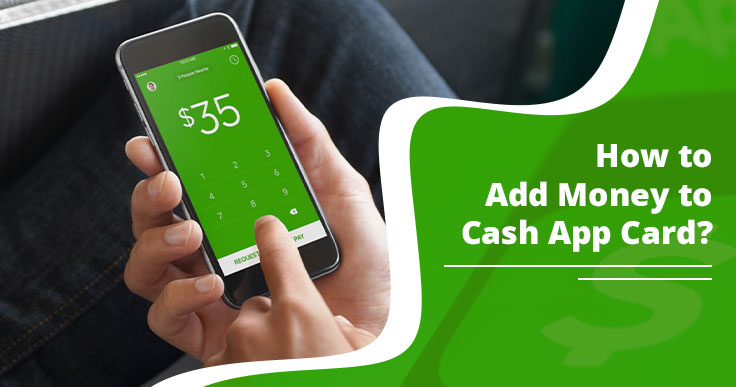
Is your Cash App balance empty? Finding options to load money to your Account? The simple hack is to ask for money from someone using the Cash App. If this option is unavailable, visit the nearby retailers to add paper money to your card. Or better, receive a direct deposit. We’ll guide you on how to add money to Cash App Card, explaining each method discussed here.
Cash App Card or Cash App Visa Debit Card is a free card service that helps in cash withdrawal, online payment, and international transactions. Since the Cash Card is linked to your Cash App account, you can easily spend money and load money onto your card online and in-store.
Cash Card services are operated by Sutton Bank, one of the partnered banks of Cash App. While standard purchases are free, certain actions like international travel or ATM withdrawals incur specific fees:
The Cash App puts a transaction limit on the card. Users can spend up to a limit decided by the Cash App. Check the limits here:
Certain requirements should be met before adding money to the Cash App Card. Get it below:
Your Cash Card should be active before adding money to it. You can do it as soon as you receive the card, within 7-10 days of ordering it. Open your Cash App application, visit the cash card tab, select activate cash card, and scan the QR code or use CVV instead. This way, you can activate the Cash Card and add money to it.
Users should focus on identity verification if they want to add a large amount to their card. To verify identity, provide Date of Birth, last four digits of SSN, and full name, address, and age of more than 18 years.
The user must be more than 18 years old to use Cash App fully. Be it fund adding, exceeding transaction limits, ordering a cash card, or direct deposit, all these are possible when you fulfill age criteria on Cash App.
If you want to add money to Cash Card using a bank account, first you need to add a bank account to your Cash App. One condition is applied here – adding a bank account is possible only after you add your cash card to cash app account.
Once you add a bank account, now transfer funds from the bank account to cash app balance. Here’s how:
Note: First, add a Cash Card and then follow the steps to add a bank to the Cash App.
You can add money to your Cash App account using your debit card. As soon as you receive it, first activate the card and then add funds using it. Activate the card by scanning the unique QR code on the card. Or, you can activate it manually by selecting ‘Use CVV instead’ option. Once added, follow the steps to add funds using a Card.
Yes, adding money to cash card even without a bank account is possible. You can visit the offline store to add money to cash card. Many offline stores (retailers) accept Cash App and facilitate cash card loading with a minimum processing fee of $1. Some popular retailers are given here:
One of the ways to add funds to a Cash card is through Direct Deposit. Learn to enable it on your account. As you enable Direct Deposit, you can receive up to $25,000/per transaction, and $50,000 in 24 hours.
You have two ways to enable direct deposits: either provide routing and account number to the employer or depositor, or create a pre-filled direct deposit form.
Here are the steps for both:
Depending on your device, you have a choice to set up direct deposit individually on your mobile and Computer. Both are explained:
| Create Direct Deposit Form on Phone | Create Direct Deposit Form on Computer |
| Open Cash App on your iOS or Android phone. | Visit the official Cash App website: Cash.app |
| Select the ‘Money’ tab from the home screen. | Log in to your account at https://cash.app/login |
| Click the ‘Direct Deposit’ option. | Open the money tab menu from the left side. |
| Then, select “Create a pre-filled form” | Select “Set up direct deposit” under the Direct Deposit option. |
| Continue following the prompts. | This will fill out your form, which you can send to your employer. |
Cash App has a limit to how much you can add money using your linked bank account, direct deposit or as a Cash App receiver from friends or someone. The account verification is the deciding factor for the Cash App Limits. We define how much money you can add to your balance through various means.
Verified users can receive up to $25,000 per direct deposit and $50,000 in 24 hours.
An unverified user cannot use the Direct Deposit feature on Cash App. It’s not available for such users.
As a verified Cash App user, you can receive unlimited money from other users. However, a limit is imposed on cash app spending.
You can receive/send up to $1,000 in 30 days if you haven’t verified your Cash App account yet.
If you load your Cash Card at one of the given offline stores, the limit is up to $5,000 for 7 days and $10,000 for a month.
So, you have understood various ways to load the Cash Card. Still, you must have a doubt: what if you can’t add money to the Cash Card someday? Let’s understand the common reasons why you fail to add money to your Visa card, and how to fix it.
If you face trouble linking your bank account to your Cash App account, then you can’t add money to your card. To tackle that situation, you should follow this quick fix:
Fix: Visit the Cash App and tap the Add tab > select ‘Cash Out’ and select amount > select standard > press add manually and enter router and bank account numbers.
You can transact on Cash App up to a certain limit. If you’re an unverified user, only $1,000 is what you can receive in 30 days. So, you must focus on verifying your identity on the Cash App, which is possible this way:
Fix: Open Cash App, visit your profile, and select the Personal Information option. Select ‘Verify’ and continue verification using your Full Name, Date of Birth, and 4 digits of SSN, address, and age of more than 18 years.
If you’re residing in areas where Cash App is restricted, and are facing a Cash App transaction limit issue, you can check a few alternatives to Cash App. We mentioned some popular payment tools and their unique features.
| App | Best For | Unique Feature | International Usage |
| Cash App | Gen Z & Crypto | Stock/BTC Investing & $Cashtags | UK |
| Wise | Low-cost Remittance | Mid-Market Exchange Rates (No markups) | 70+ countries |
| Zelle | Direct Bank Transfers | Native Integration (Inside your bank app) | US only |
| PayPal | Online Shopping | Purchase Protection for buyers/sellers | 200+ countries |
| Venmo | Splitting Bills | Social Feed (See what friends are paying for) | US only |
| Revolut | Frequent Travelers | Disposable Virtual Cards for security | Global |
| Chime | Everyday Banking | SpotMe (Fee-free overdraft up to $200) | US only |
| Remitly | Migrant Workers | Multiple Payouts (Cash pickup, home delivery) | Global |
Cash App offers you a quick money transfer facility with the option to link a bank account. When you are out of money in your Cash App balance, you can transfer money from your linked account to the Cash App account and use the funds for online transactions or cash card payments. Moreover, you can load paper money into your cash card at supported retailers with a fee charge. This guide explains how to add money to a Cash App Card using different means. Hope this helps!
No, you cannot add money directly to your cash card at ATMs. Instead, visit nearby participating retailers and add paper money with reasonable charges.
It depends on the way you opt to add money to the Cash App Card. If someone sends you money, it reaches you instantly. If you’re expecting direct deposit, it will show up within 1-5 business days. However, a paper money deposit is instant.
The minimum you can add to your Cash App balance or Cash Card is $5 at retailers as paper money. However, some retailers add a minimum of $20 to your Visa card.
Adding money is not directly possible without ID verification if you use a card for the purpose. However, you can still receive money up to $1,000, and it displays in your Cash App balance.
If the “Add Cash” option is missing on your Cash App account, it’s because of exceeding the transaction limit, an unverified account, or app glitches.
 February 10, 2026
U.S. users can easily borrow money from Cash App, starting from $20 to $500 as of 2026. Moreover, first-time borrowers....
 January 28, 2026
Cash App is not a traditional bank; it partners with Lincoln Savings Bank and Sutton Bank to manage its core....
 November 5, 2022
Sweatcoin is a great application that lets you earn rewards that can be converted into money. After earning money from....