
How to Delete Hulu Account? User-Friendly Guide

February 27, 2026
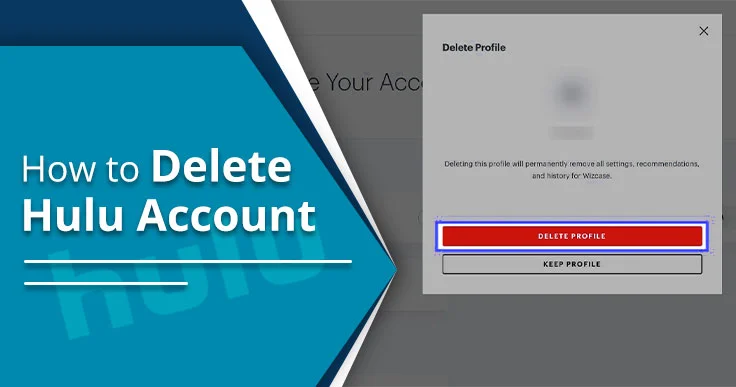
I am noticing that the number of users is increasing day by day who want to delete their Hulu account. It’s all because they:
- Have more privacy concerns
- Are not interested anymore
- Have their own reasons
Moreover, I have heard that users have a common misconception about cancelling and deleting the account. But both are totally different.
Deletion of an account means no longer having access to your account, and cancelling the subscription means stopping the billing cycle.
To permanently delete your Hulu account, you need to submit the request through Your U.S. State Privacy Rights. Then, the deletion process will start. This how-to guide will explain the steps in detail.
Key Takeaways!
-
- Cancel Subscription: Before performing the deletion process, I recommend that you cancel your ongoing Hulu subscription plan.
- Delete Hulu Profiles: You can also try removing secondary profiles that are connected to your Hulu account. Note! Your primary profile can only be erased by deleting your entire Hulu account.
- Disney Identity: As per Disney+, many Hulu accounts are integrated into a Disney OneID. It means that when you delete your Hulu account, your ESPN+ and Disney+ accounts may also be impacted.
- Permanent Action: When you have chosen the Start Deletion button, all your account data, such as watch history and preferences, will be erased permanently.
- Device Access: The deletion process is easy to access on your device’s web browser.
- Reactivation: You can’t access it again once the deletion process has been completed. Moreover, it is irreversible.
What Do You Need to Do Before You Hit Delete?
You should understand the core points before deletion.
- Cancel Subscription: Before proceeding further, you need to cancel your current membership plan with Hulu.
-
- Third-party Cancellations: If you have taken a subscription from any third-party service, cancel it first with that provider.
- Record Important Information: Before deletion, Hulu suggests that you should manually note down the movies or series you want to watch later. Also, you can keep a record of your watch history because you will lose all your personal account information permanently.
- Verify the Billing Cycle: Most users wait till their current billing cycle ends so that they can fully utilize the Hulu service. Thus, you can also do the same.
Can I Permanently Delete my Hulu Account?
YES! You can easily delete your Hulu account on a permanent basis. But make sure you are cancelling your ongoing subscription to initiate the deletion process. As per Hulu, after cancelling their subscription plan, it will remain active till their billing cycle ends. Then, you can delete your Hulu account. Otherwise, your account data will be deleted forever.
Note! You can’t delete your Hulu account on your TV or mobile application.
How to Permanently Delete Your Hulu Account?
Follow the instructions below.
- Visit hulu.com.
- Sign in with the required information on your web browser.
- Click on your Profile.
- Select Account Settings.
- Here, you will be redirected to Manage your Account.
- Scroll down a bit to look for Your U.S. State Privacy Rights under Privacy and Settings.
- Now, there are two options that are coming on your screen:
- Right to Know
- Right to Delete
- Click on Right to Delete.
Warning! This button will not appear if there is an active third-party billing subscription.
- Confirm your credentials, email ID and password.
- A new pop-up page will open on your screen that states, “Start Account Deletion Billed by a Third Party.”
- Now, click on Start Deletion.
- Hulu will send you an email asking you for confirmation.
- Click on the confirmation email.
- Your request has been submitted.
Note! You need to confirm the email within 30 days that you received from Hulu. Otherwise, the link will expire.
What Happens to Your Data After Deletion?
Go through these key details that happen after performing the deletion process.
- Permanent Removal: After deleting your Hulu account, you will not be able to access preferences, your data, or even settings. However, the action is unchangeable.
- Data Retention: Although your account has been deleted, Hulu keeps the data for its legal, accounting, operational, and auditing requirements, as stated by the Privacy Policy.
- Loss of Access: Hulu will make sure that you can’t log in to your account.
- Device Data: After deletion, Hulu recommends removing all the cache, which will help you to delete all the local data that is stored on your device.
Why Can’t I Delete My Hulu Account?
These are common reasons why you can’t delete your Hulu account.
- You are deleting your primary profile instead of the secondary one.
- There is an active subscription plan.
- You have a third-party billing.
- Users are trying to delete their Hulu account from their TV or mobile app, rather than on a web browser.
Difference Between Canceling And Deleting Your Hulu Account
Here is the tabular presentation on canceling and deleting your Hulu account.
| Aspect | Canceling Hulu Subscription | Deleting Hulu Account |
| Definition | It temporarily stops your Hulu subscription and its billing service. You can reactivate it at any moment. | Deleting your Hulu account will permanently remove all your linked data. |
| Impact on Access | You will lose access to your Hulu content when your existing billing cycle is over. However, your account will remain active. | You will lose access permanently. In fact, you won’t be able to recover your account after deletion. |
| Billing | It will stop future charges. If you have a prepaid subscription, you will retain access till the end of your billing period. | All your billing information will be erased. Plus, there are no future charges that will be possible. |
| Data Retention | Hulu retains your watch history, preferences, and account details for further reactivation. , | All your preferences, account details, and watch history will be deleted on a permanent basis. |
| Ease of Action | It is a simple process as you head to the Hulu account settings. Or, if you have taken the subscription from a third-party service provider, cancel the subscription with it. | The deletion process is a little bit complicated. However, it requires you to sign up for your Hulu account. After that, access the Privacy Settings and then follow the on-screen instructions. |
| Reversibility | You can start the membership plan whenever you want, as this process is reversible. | It is a forever action. Once deleted, you have to create a new Hulu account to stream its content again. |
| When to Choose | If you are planning to return later or simply want to pause the payments for a temporary period. | If you no longer want Hulu at all or are willing to remove your personal data for privacy reasons. |
People May Also Ask
Read out these additional queries that users mostly ask when they are deleting their Hulu account.
Q1. How long does it take to delete a Hulu account?
Ans. When you delete your Hulu account, the process may take near-instant time. And after deletion, you will be signed out.
Q2. Can I delete the Hulu account from the app?
Ans. NO! Hulu doesn’t allow users to delete their account on the mobile as well as the TV application. The best way to do it is through the use of a web browser.
Q3. Does cancelling your Hulu subscription delete your account?
Ans. No! Your account will still remain intact when cancelling your Hulu membership plan. Cancelling your Hulu membership plan means that you have cancelled any future payments, but you will still be charged for the remainder of your current billing period.
Q4. Will my subscription end if I delete my account?
Ans. No! While deleting your Hulu account, make sure that you are cancelling the subscription first.
Q5. What’s the difference between deactivating and deleting an account?
Ans. Deactivating your Hulu account means keeping your account information for the possibility that you may return in the future. Deleting your Hulu account will cause all information, including viewing history, personal information, and account information, to be permanently deleted.
Q6. Is removing an account the same as deleting it?
Ans. NO! Both removing and deleting are not the same thing. In deleting your account, you need to request Your U.S. State Privacy Rights. On the other hand, removing means that you have deleted the Hulu application from your device.
Q7. How do I delete my Hulu account through Spotify?
Ans. Follow these steps.
Note! Only for the Spotify Premium plan for students.
- Browse the Spotify Account Page on any web browser.
- Enter your login credentials.
- Head to Account Overview. Then, choose Your Services.
- Click on Deactivate Hulu.
Only your Hulu account will be deleted. And your Spotify Premium membership plan will continue.
Q8. How do I delete information from Hulu?
Ans. Go through these workarounds.
- Browse hulu.com on your preferred web browser.
- Head to your Profile.
- Choose Account Settings.
- Find Privacy and Settings. Click on it.
- Now, select Clear Search History.
Final Recommendations!
You can easily delete your Hulu account through the portal of Your U.S. State Privacy Rights. Remember that you need to cancel the active subscription before proceeding further. And when the deletion process is completed, Hulu will remove all your account data, including preferences and watch history. But it will keep your data for legal or accounting processes. Make sure to keep all the records to yourself because when it is done, it will not be reversible. Now, you know what the deletion process is. So, if you don’t want to use Hulu anymore, you can delete your account effectively.